


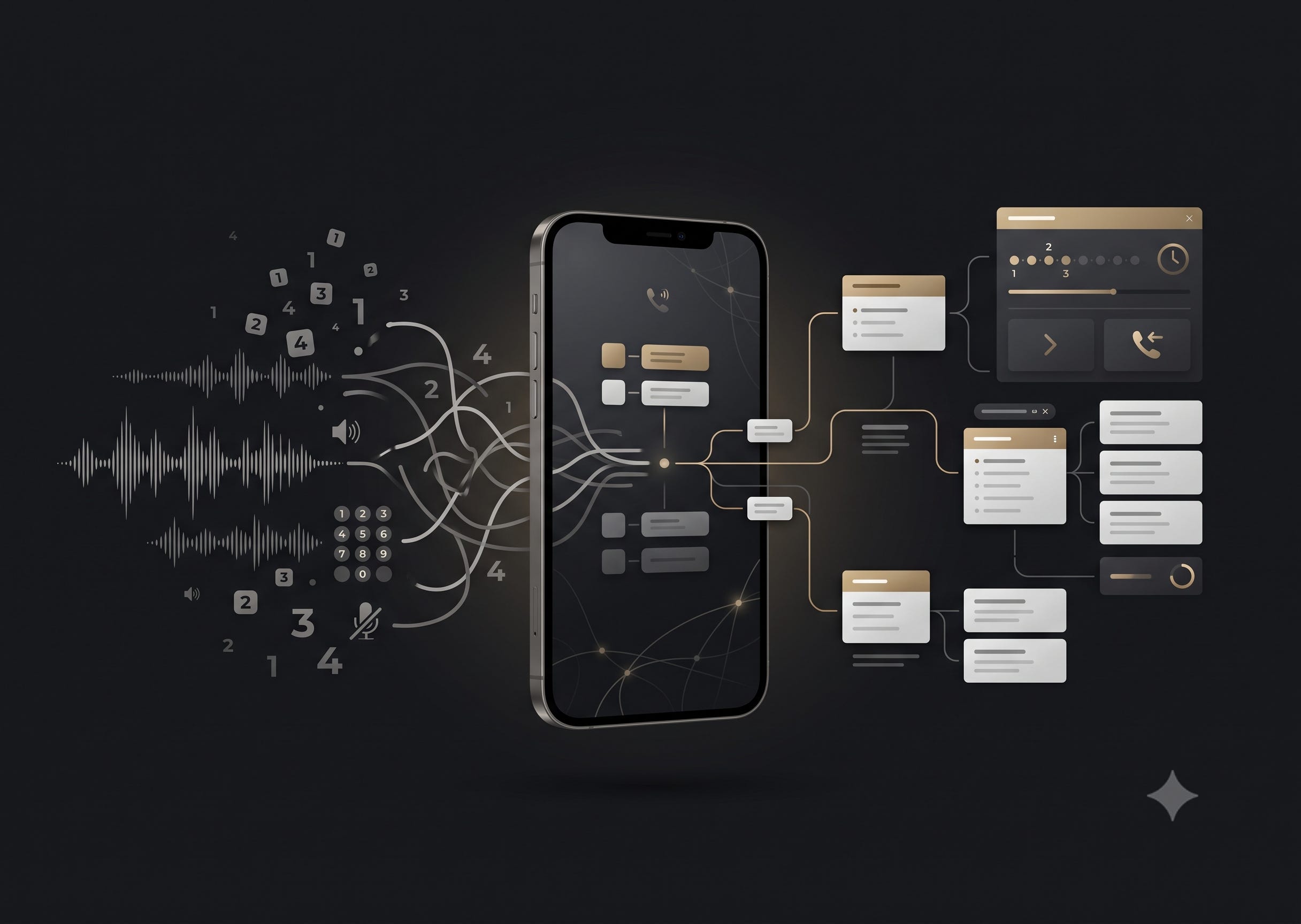
Call a bank’s customer support number today and something strange happens.
The smartphone in your hand can display maps, stream video, authenticate payments, translate languages and run sophisticated apps.
But the moment you make a customer-support call, it effectively turns into a telephone from the 1990s.
“For credit cards, press 1.”
“For savings accounts, press 2.”
“For loans, press 3.”
You listen.
You wait.
You try to remember which number corresponded to which option.
You press one.
Then another invisible menu begins.
There is no screen showing you where you are. No navigation tree. No way to scan the available options. No obvious way to know whether the thing you’re looking for is one level deeper or buried somewhere in another branch.
Thirty years after Interactive Voice Response systems became commonplace, we’re still navigating them largely the same way.
The problem isn’t the IVR.
It’s that the IVR is still invisible.
IVRs Actually Solve A Useful Problem
Large companies receive enormous numbers of customer calls.
A bank can’t send someone calling about a fraudulent credit-card transaction to the same queue as someone asking about a home loan. A telecom company needs different specialists for billing, connectivity, prepaid accounts and enterprise customers.
IVRs solve that routing problem.
They gather information about why you’re calling and place you into the appropriate queue.
The problem is the interface we’ve chosen for doing it.
The company already has an information architecture that might look something like this:
Banking
→ Credit Cards
→ Savings Accounts
→ Loans
→ Investments
Choose Credit Cards:
→ New Card
→ Existing Card
→ Lost or Stolen Card
→ Payments
→ Rewards
Choose Payments:
→ Payment Failed
→ Payment Not Reflected
→ Billing Question
→ Speak To An Agent
That’s a perfectly reasonable menu.
But instead of showing it to you, we convert the menu into speech and reveal it one item at a time.
Which is a remarkably inefficient way to navigate information.
Imagine If Every Interface Worked Like An IVR
Imagine opening a shopping website and instead of seeing its navigation menu, hearing:
“For electronics, press 1.”
(pause)
“For clothing, press 2.”
(pause)
“For home and kitchen, press 3.”
And after choosing Electronics, hearing:
“For televisions, press 1.”
(pause)
“For mobile phones, press 2.”
Nobody would tolerate it.
Visual interfaces work because humans can scan information.
We can look at five options simultaneously, identify the relevant one and tap it almost instantly.
Audio interfaces force information to arrive sequentially.
You can’t hear option 5 until options 1 through 4 have finished playing.
And because the menu is invisible, you don’t know what lies underneath each choice until you enter it.
So navigating an IVR becomes a peculiar exercise in patience and memory.
India Makes The Mismatch Particularly Obvious
India is a useful place to see how outdated this interaction has become.
The country had 1.348 billion telecom subscribers as of June 2026.
And voice isn’t disappearing simply because digital channels have grown.
A 2026 Truecaller–Tata Tele Business Services study conducted by Kantar across 17 Indian cities found that 76% of consumers preferred speaking with businesses over the phone rather than relying entirely on digital channels.
At the same time, India is overwhelmingly becoming a smartphone country.
Government data published in 2025 found that 85.5% of Indian households had at least one smartphone.
Put those facts together and you get a strange technological contradiction -
Millions of people are calling businesses from touchscreen computers capable of displaying extraordinarily rich interfaces, yet the customer-support system behaves as though they’re calling from landlines.
We have put a screen in almost everyone’s hand and then designed the phone call as though the screen doesn’t exist.
The IVR Should Simply Appear On The Screen
Nothing about the underlying customer-support operation needs to disappear.
The customer still calls the same phone number.
The call still travels over the regular mobile network.
The company can keep the same IVR logic.
The same queues can exist.
The same customer service agents can answer them.
But when the call connects, the IVR appears on the phone screen.
Instead of hearing:
“For credit cards, press 1. For savings accounts, press 2...”
you see:
How can we help?
→ Credit Cards
→ Savings Accounts
→ Loans
→ Investments
→ Other
Tap Credit Cards. Immediately:
Credit Cards
→ New Card
→ Existing Card
→ Lost / Stolen Card
→ Payments
→ Rewards
Tap Payments. Immediately:
Payments
→ Payment Failed
→ Payment Not Reflected
→ Billing Question
→ Speak To An Agent
Three taps.
Five seconds.
You’re in the right queue.
The audio IVR can still exist for people using feature phones or anyone who prefers it.
But the smartphone gets an interface designed for a smartphone.
And You Should Always Know Where You Are
Making the menu visual solves another problem that we’ve become so accustomed to that we barely notice it.
IVRs have no geography.
Once you’re three levels deep, you usually have little idea where you are within the system.
A visual IVR could simply show:
Home → Credit Cards → Payments → Payment Not Reflected
Want to go back?
Tap Payments.
Want to return to the beginning?
Tap Home.
Want to explore another branch?
Go there.
The information architecture already exists.
We’re simply allowing the customer to see it.
The Waiting Room Should Become Visual Too
Reaching the right queue only begins the second archaic part of the customer-support experience.
Waiting.
Today you usually hear some combination of:
“Your call is important to us.”
“All our representatives are currently assisting other customers.”
“Your estimated waiting time is approximately seven minutes.”
Perhaps, occasionally:
“You are number three in the queue.”
Then the music starts again.
A visual call interface could instead continuously display:
Credit Card Payments
Queue position: 3
Estimated wait: 7 min
Suddenly you know exactly what’s happening.
As agents become available:
Queue position: 2
Estimated wait: 4 min
Then:
Queue position: 1
Estimated wait: 2 min
The customer no longer has to rely on occasional verbal announcements to understand the state of something the contact center already knows.
And Nobody Should Have To Stay On Hold
Once the contact center knows that your expected wait is seven minutes, there is another obvious question.
Why does the call need to remain connected for those seven minutes?
The screen could simply offer:
Estimated wait: 7 minutes
1 → Stay On Call
or
2 → Call Me When It’s My Turn
Choose the second option and the inbound call ends.
Your position in the queue doesn’t.
The screen now says:
Status → You’re still in the queue.
Estimated callback: 9:42 PM
Use your phone normally.
When your position reaches the front of the queue, the contact center system places an outbound call to you and connects you to the appropriate agent.
From the customer’s perspective, the conversation starts roughly when it would have started had they spent seven minutes listening to hold music.
Except they didn’t have to spend seven minutes listening to hold music.
None Of This Is Science Fiction
The interesting thing is that almost every component of this experience already exists.
Google’s Direct My Call on Pixel phones already converts automated phone menus into tappable choices on the screen. On supported businesses, Google can sometimes display menu options before they’ve even been spoken.
Google also offers Hold for Me, which can monitor a call while you’re on hold and alert you when a human returns.
Apple introduced a similar Hold Assist capability on iPhone in 2026.
Meanwhile, major contact center platforms already support virtual queues and automated callbacks.
Systems from companies such as NICE and Genesys can let customers disconnect while preserving their position in the queue, then automatically initiate an outbound call when an agent becomes available.
And an entire category of products already calls itself Visual IVR, although many implementations take the customer out of the call and into a web interface delivered through an SMS link.
So this isn’t primarily a technology problem.
It’s an integration and standardization problem.
In Fact, We’re Already Doing Something Slightly Absurd
Google’s Direct My Call illustrates this beautifully.
A company’s contact center already knows its IVR structure.
It knows that pressing 1 leads to Credit Cards.
It knows the options underneath Credit Cards.
It knows which queues those choices eventually lead to.
But because the phone network doesn’t expose that structure visually, the company converts the information into speech.
The speech travels through the telephone network.
Then Google’s software listens to that speech and attempts to reconstruct the menu so that it can display the information visually again.
Think about that pipeline.
We are turning structured data into audio so that another computer can turn the audio back into structured data.
The cleaner architecture is obvious.
Send the structured information alongside the call.
India Could Be A Great Market To Build This For
There’s another reason this could be particularly useful in India.
Language.
The RBI Ombudsman’s contact center received 927,598 calls in FY2024–25, up nearly 29% from the previous year. More than 60% were handled through IVR. But only about 7% of those calls were in English. The overwhelming majority were in Hindi or regional languages.
Think about the difference a visual interface could make.
At the beginning of the call:
Choose your language
English
हिंदी
ಕನ್ನಡ
தமிழ்
తెలుగు
मराठी
বাংলা
...
Choose Kannada and the entire IVR tree appears in Kannada.
The caller can read the options at their own pace instead of listening carefully for the relevant choice in a sequence of spoken announcements.
In a country with hundreds of millions of smartphone users and enormous linguistic diversity, that isn’t merely a convenience.
It’s better interface design.
Don’t Replace The Phone Call. Upgrade It.
There is a temptation whenever we encounter an old interface to replace the entire system:
→ Move customer support into the app.
→ Move everything to chat.
→ Move voice onto the internet.
But sometimes the better product isn’t a replacement.
It’s a layer.
India has repeatedly demonstrated how powerful that approach can be:
→ Cash didn’t have to disappear before digital payments could become dramatically better.
→ Bank branches didn’t have to disappear before mobile banking transformed banking.
→ And telephone calls don’t have to disappear before customer-support calls become digital.
Keep the phone number.
Keep the cellular call.
Keep the contact center.
Keep the IVR routing.
Keep the agents.
Just let the screen participate.
Because in 2026, the strangest thing about calling customer support isn’t that we’re still using the telephone.
It’s that we’re using a smartphone as though it doesn’t have a screen.
Make The Call Screen Smarter
To telecom operators, smartphone makers, operating-system developers and contact-center platforms:
All the pieces we need to build this already exist.
Build a common standard that lets businesses send their IVR menus, navigation paths, live queue information and callback options directly to the screen during a regular phone call.
Don’t replace the call.
Make it visible.
Build This Next.
I write about how products can be better — fixing what’s broken and imagining what’s missing.
If this made you notice something broken or missing, you can subscribe to Build This Next to receive future essays directly.
Every subscription is a vote for building better products.
And if this sparked an idea, take a few seconds to share it — it might help someone else build or see products differently.